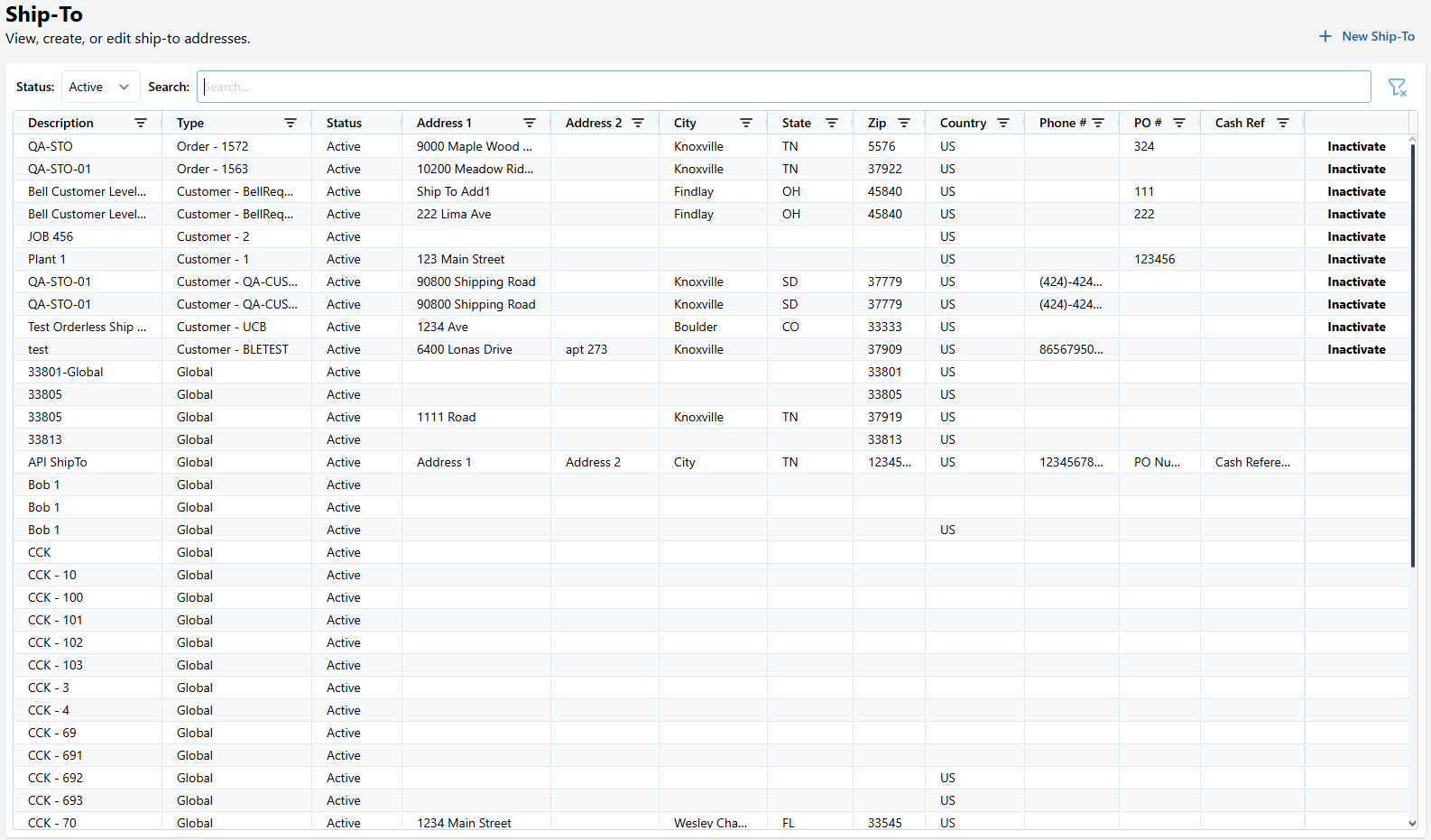
| Field | Description |
|---|---|
| Description | A given description of the Ship To |
| Type | What the Ship-To is assigned under, Global, Order or Customer |
| Status | Shows weather the ship to is Active or not |
| Address 1 | The Primary Address of the Ship To |
| Address 2 | The Secondary Address of the Ship To |
| City | The address's City |
| State | The address's State or Province |
| Zip | The address's Zip / Postal Code |
| Country | The address's Country |
| Phone # | A callable Phone number related to the ship-to |
| PO # | A PO# related to the ship-to |